
Documentation Index
Fetch the complete documentation index at: https://developer.novacpayment.com/llms.txt
Use this file to discover all available pages before exploring further.
Overview
Novac supports mobile money (MoMo) payment collection for Ghana cedis (GHS), allowing your customers to pay via their MTN Ghana or Telecel Ghana mobile money wallets.Mobile money collection is currently available for GHS transactions only. Ensure your
checkout is created with
currency set to GHS before proceeding with this flow.paymentRedirectUrl where they will select their MoMo provider
and enter their phone number. Novac then sends a payment approval prompt to their mobile
money app. Once approved, the customer confirms on the checkout page and the transaction
is settled.
Prerequisites
See details
See details
Before initiating a MoMo checkout, you must have:
- Create a merchant account — Ensure you have an active account with KYC completed.
- Obtain API keys — Required to authenticate all requests.
Create MoMo Checkout Payment
Create a checkout payment using either a payment link reference or a transaction reference. When the payment has been created, you may redirect your customer to the hosted Novac checkout for them to complete the payment or build a custom UI with the API that powers the momo checkout for custom experience.Complete the Payment
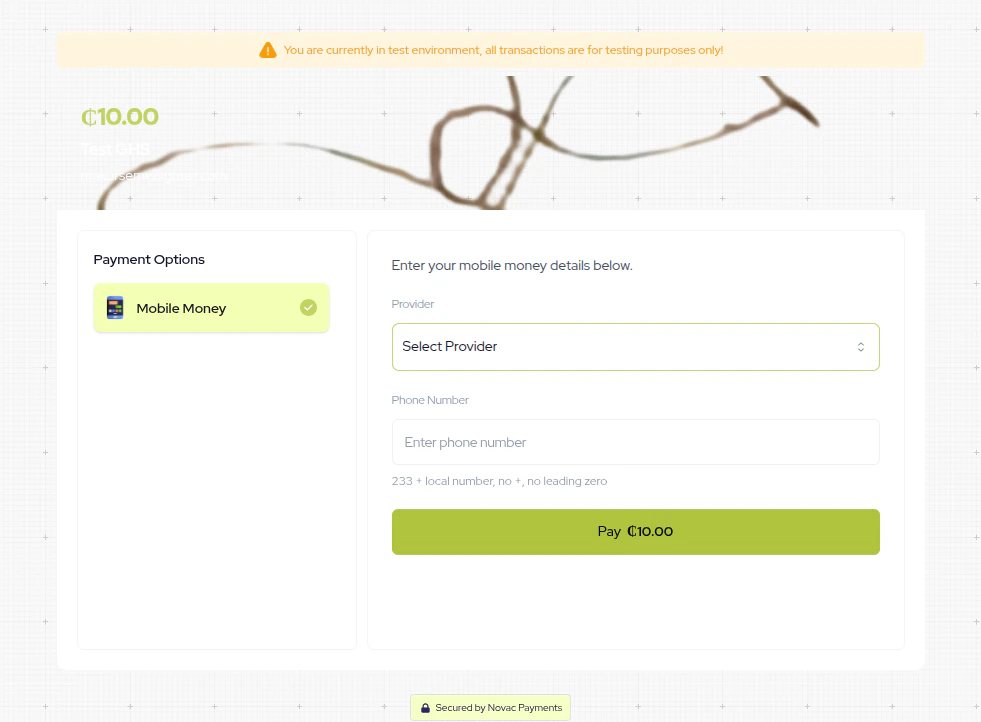
Redirect your customer to thepaymentRedirectUrl returned when you initiated a MoMo checkout. On this page,
the customer selects Mobile Money as their payment method, chooses their provider,
and enters their phone number.
You can also build a custom checkout experience that matches your brand using the API
that powers the MoMo checkout page. Learn more about custom checkout.
Customer Approves the Payment
After submitting their details, the checkout page transitions to a confirmation screen instructing the customer to open their MoMo app and approve the pending payment prompt.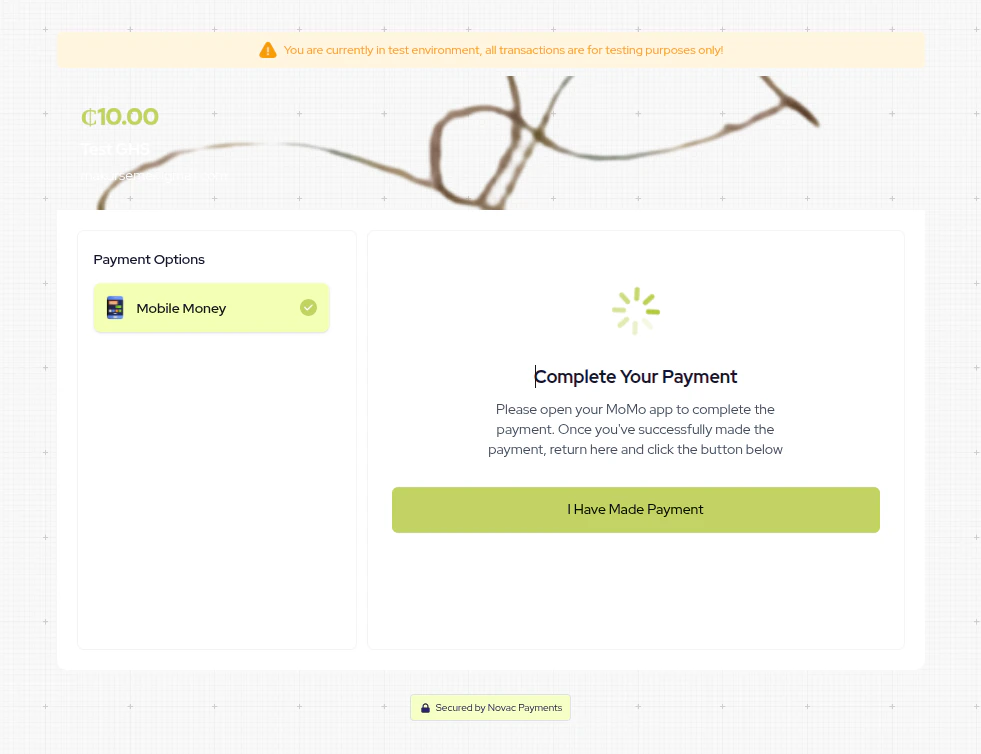
What’s Next?
After initiating the MoMo payment, there are two ways to confirm the final transaction status:- Webhooks: Novac will send a webhook notification to your configured endpoint once the customer approves or declines the payment prompt. This is the recommended approach. See Webhook Events to learn how to set up and handle incoming events.
- Verify the transaction: You can also poll the verify endpoint to check the transaction status. See Verify a Transaction.