Overview
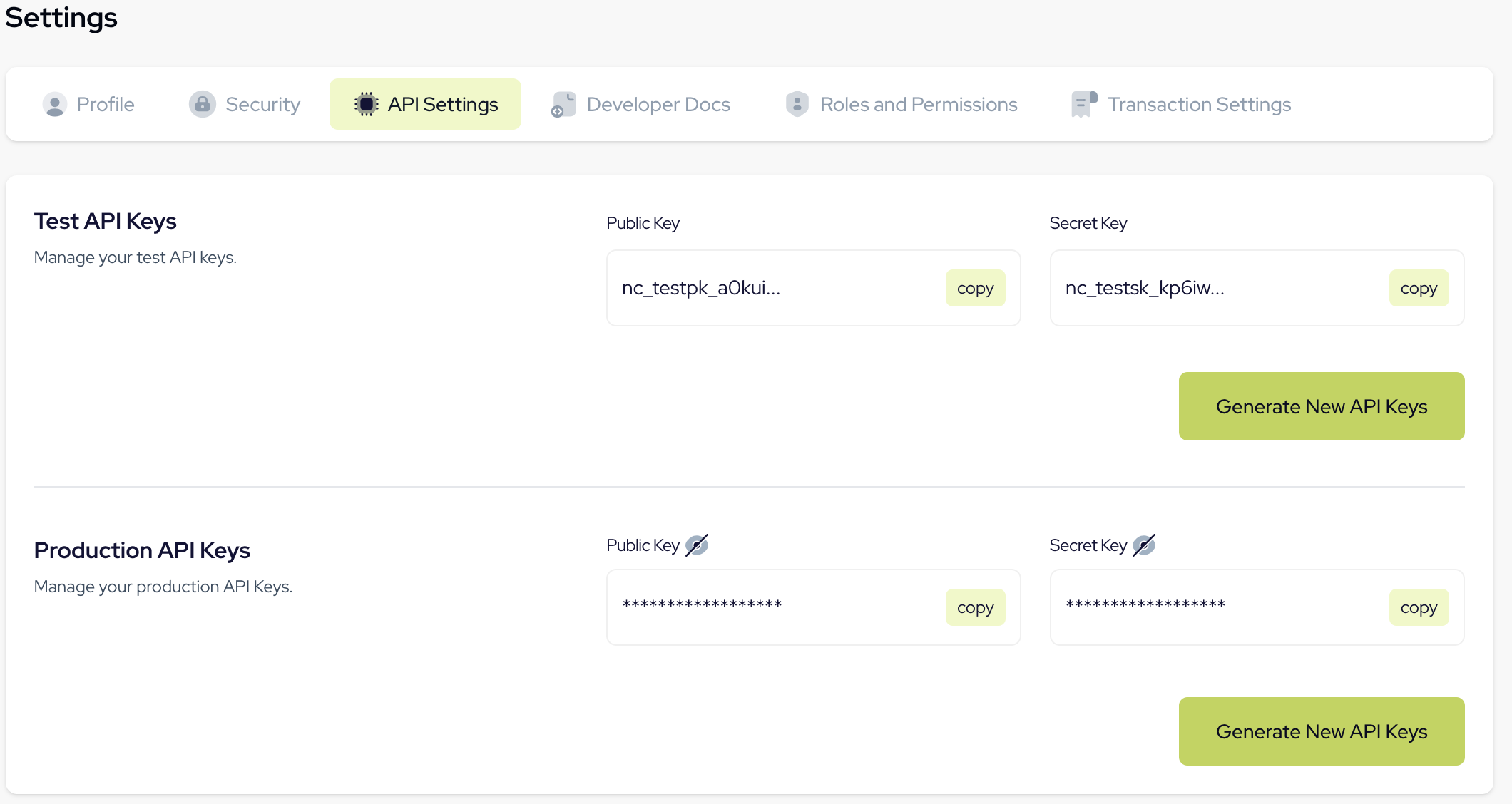
To ensure seamless communication between your application and Novac Payment, you’ll need your API keys. Novac uses these keys to authenticate every request from your application. Each account is provided with two sets of API keys public and secret for both Test and Live environment.Public keys
Public keys are safe to use on the client-side. They are typically used for initiating transactions such as checkout, payment links, and in-app collections. Public keys cannot modify your account or access sensitive data.Secret keys
Secret keys are highly sensitive and must be kept confidential. They are used for secure operations such as payouts, refunds, and accessing financial data. All server-side API calls should be authenticated with your secret key.Obtaining your API Keys
You can easily access your API keys from the Novac dashboard.1
Log in to your Novac dashboard
Start by signing in to your Novac account to access your dashboard.
2
Go to Settings from the side pane
In the dashboard sidebar, click on Settings to manage your account preferences.
3
Select the API Settings tab