> ## Documentation Index
> Fetch the complete documentation index at: https://developer.novacpayment.com/llms.txt
> Use this file to discover all available pages before exploring further.
# Payment Preferences
> Learn about the supported payment methods available on Novac and how to optimize checkout experience and fee handling.
## Overview
Payment preference on Novac gives you control over how your customers pay and how transaction fees are handled during checkout.
Instead of showing every available payment option or applying a fixed fee behavior, you can tailor the experience to match your business goals. This helps you:
* Improve conversion by simplifying payment choices
* Guide customers toward preferred payment methods
* Decide who bears transaction fees (you or your customer)
* Maintain better control over your revenue and margins
Ultimately, payment preference is about optimizing both user experience and business outcomes.
***
## Controlling Payment Methods
To control which payment channels are presented to customers at checkout. You can configure this at two levels: a **global default** on the dashboard which applies to all transactions,
or a **per-transaction override** via the checkout API which applies to that transaction only.
You can restrict what users see at checkout:
* `"CARD,PWBT"` Only card and bank transfer
* `"USSD"` Only USSD payments
* `"Opay"` Only Opay
* `"Palmpay` Only palmpay
This ensures your customers are presented with only the most relevant options.
### Set a Global Default on the Dashboard
The dashboard setting acts as your **default preference for all transactions**. It is the right choice when you want to consistently restrict or curate channels across your entire checkout flow without touching your code.
Go to your to [your app and sign in](https://app.novacpayment.com).
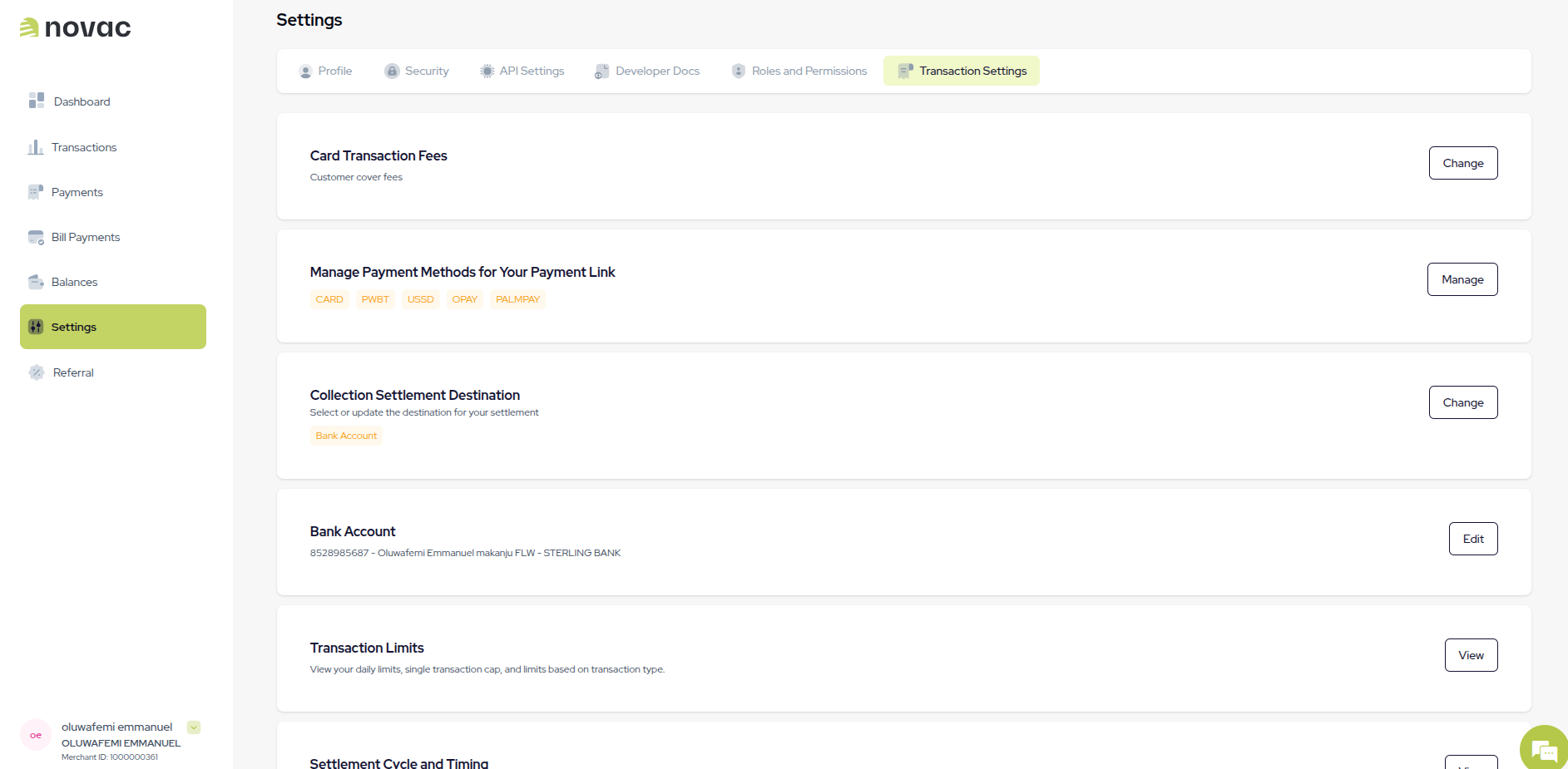
Click on **settings** in the sidebar and select **transaction settings** tab.
Choose one or more payment channels. Your selection applies to all future transactions unless overridden at the checkout level.
Click **Save**. The preference takes effect immediately for new transactions.
### Set Per-Transaction via the Checkout API
This is useful when different parts of your product have different payment needs for example, showing only bank transfer for high-value orders, or only card options for a specific product category.
Pass the `allowedPaymentOptions` field in your checkout request to control which channels appear for that specific transaction.
```bash theme={null}
curl --request POST \
--url https://api.novacpayment.com/api/v1/paymentlink/initiate \
--header 'Authorization: ' \
--header 'Content-Type: application/json' \
--data '{
"paymentLinkReference": "oeXQckL",
"amount": 100,
"currency": "NGN",
"metaData": "{}",
"allowedPaymentOptions":"CARD,PWBT,OPAY,USSD,PALMPAY,MOMO"
"checkoutCustomerData": {},
"checkoutCustomizationData": {}
}'
```
When you set `allowedPaymentOptions`, it will overrides whatever settings you have on the dashboard for that checkout session only.
***
## Fee Handling Options
In addition to payment methods, you can also control **who pays the transaction fee**. This directly impacts both the customer experience and your final settlement amount.
 ***
### I will cover (Merchant pays the fee)
The transaction fee is deducted from the payment amount before settlement.
* Customer pays: ₦500
* Fee: ₦30
* Merchant receives: ₦470
This approach creates a smoother checkout experience since the customer pays exactly what they expect, with no extra charges.
***
### I will cover (Merchant pays the fee)
The transaction fee is deducted from the payment amount before settlement.
* Customer pays: ₦500
* Fee: ₦30
* Merchant receives: ₦470
This approach creates a smoother checkout experience since the customer pays exactly what they expect, with no extra charges.
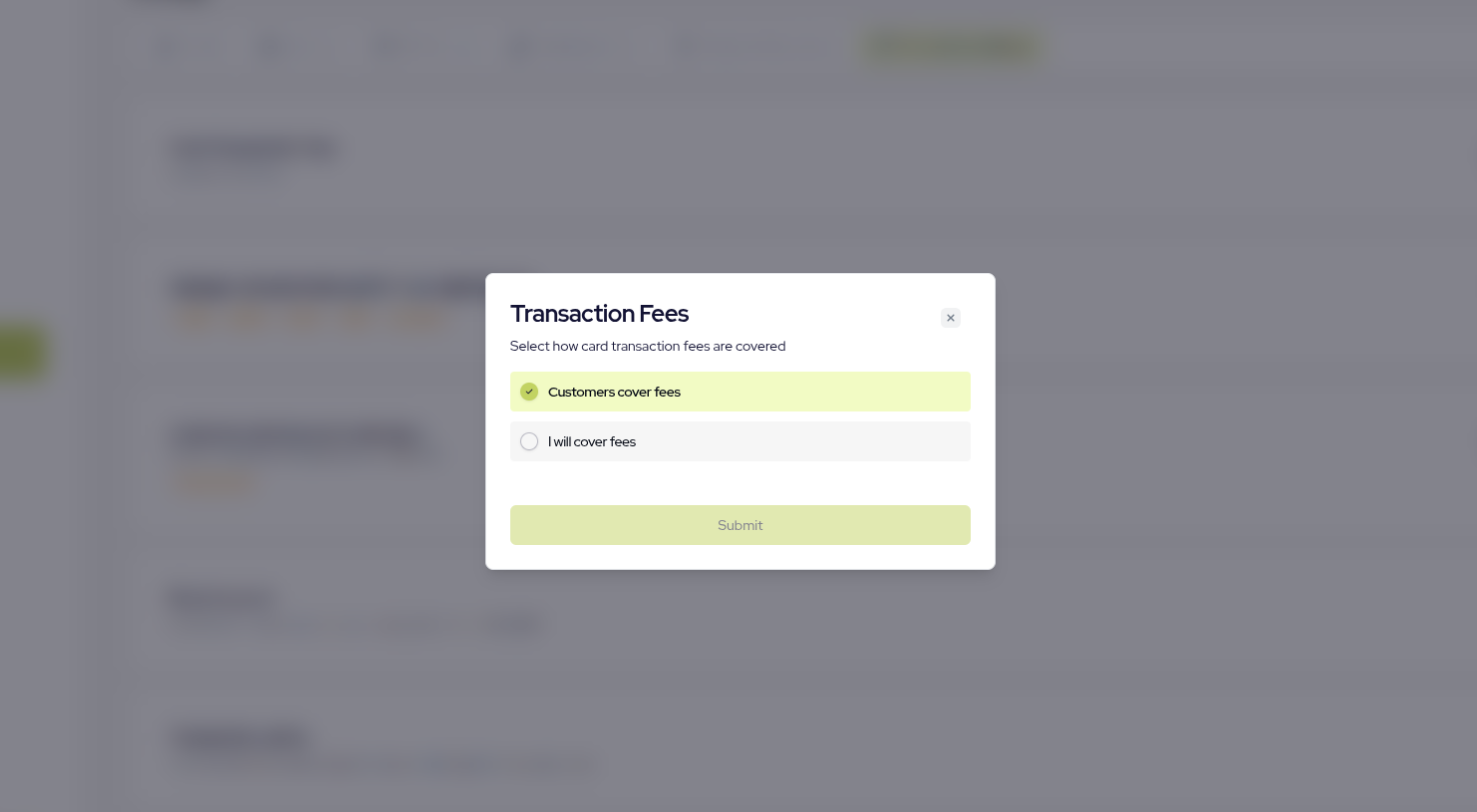 ***
### Customer covers (Customer pays the fee)
The transaction fee is added on top of the payment amount.
* Customer pays: ₦500 + ₦30 = ₦530
* Merchant receives: ₦500
This ensures you receive the full payment amount, making it ideal if you want to protect your margins.
***
### Customer covers (Customer pays the fee)
The transaction fee is added on top of the payment amount.
* Customer pays: ₦500 + ₦30 = ₦530
* Merchant receives: ₦500
This ensures you receive the full payment amount, making it ideal if you want to protect your margins.